Clarendon
Asset Management Platform
AI-assisted asset management, role-based workflows, and audit-ready product design
Five Roles,
One Accountable System
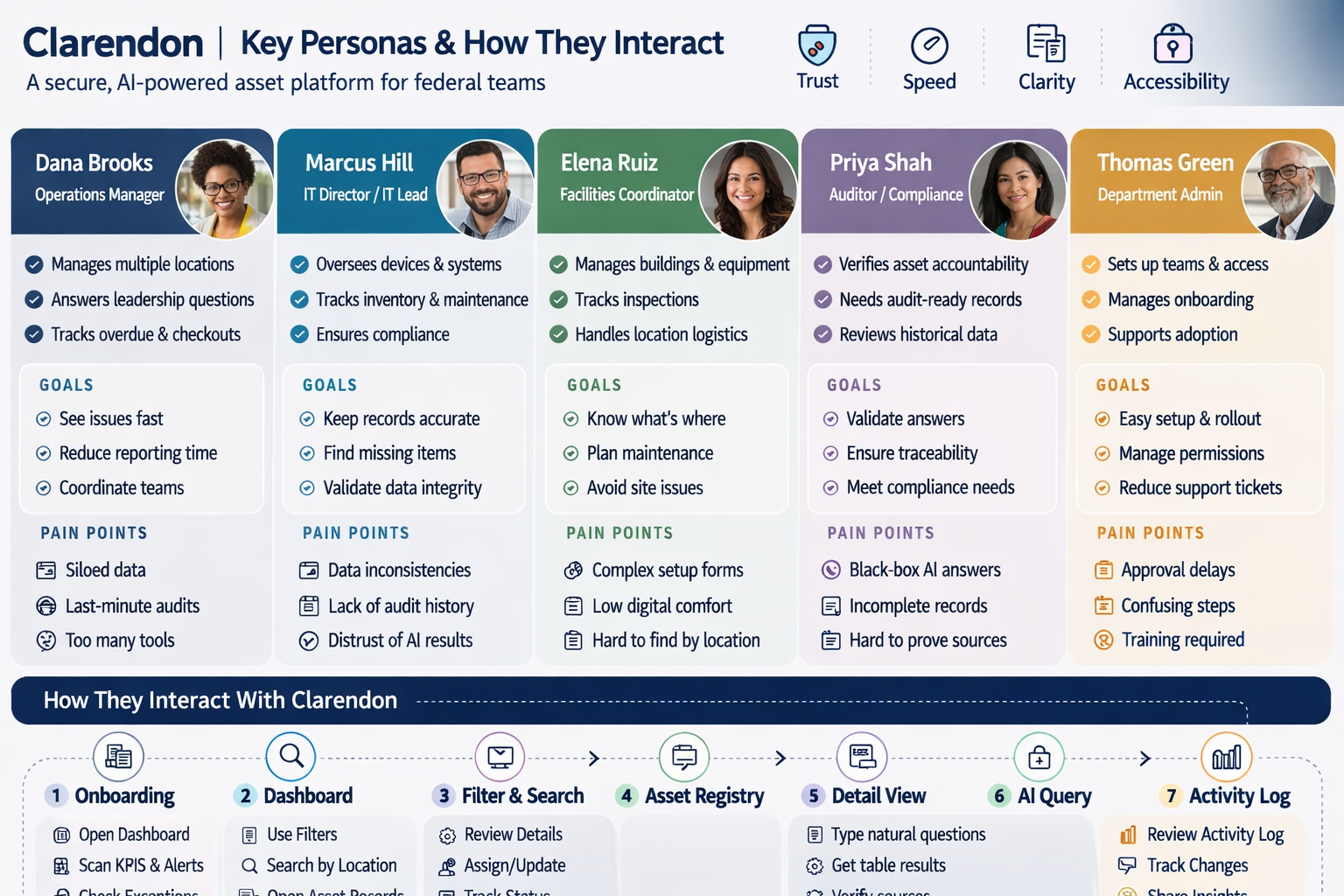
Five federal user types — each with different goals, risk tolerance, and interaction patterns — informed the platform structure, AI transparency model, and audit-ready workflow design.
Loads from horizonsplash.com
One Platform, Five Realities
The same interface serves an auditor validating compliance records and a facilities coordinator tracking equipment location. Each persona surfaces a different layer of the system's complexity.
Trust vs. Speed
Priya needs audit-ready traceability; Dana needs fast answers. Designing for both meant AI outputs needed clear sourcing, not just results — so speed didn't come at the cost of accountability.
AI Skepticism Is a Design Problem
Marcus distrusts AI results and Elena has low digital comfort. Black-box answers aren't acceptable. Every AI response in the interface links back to its source record.
From Dashboard Scan
to Audit Trail
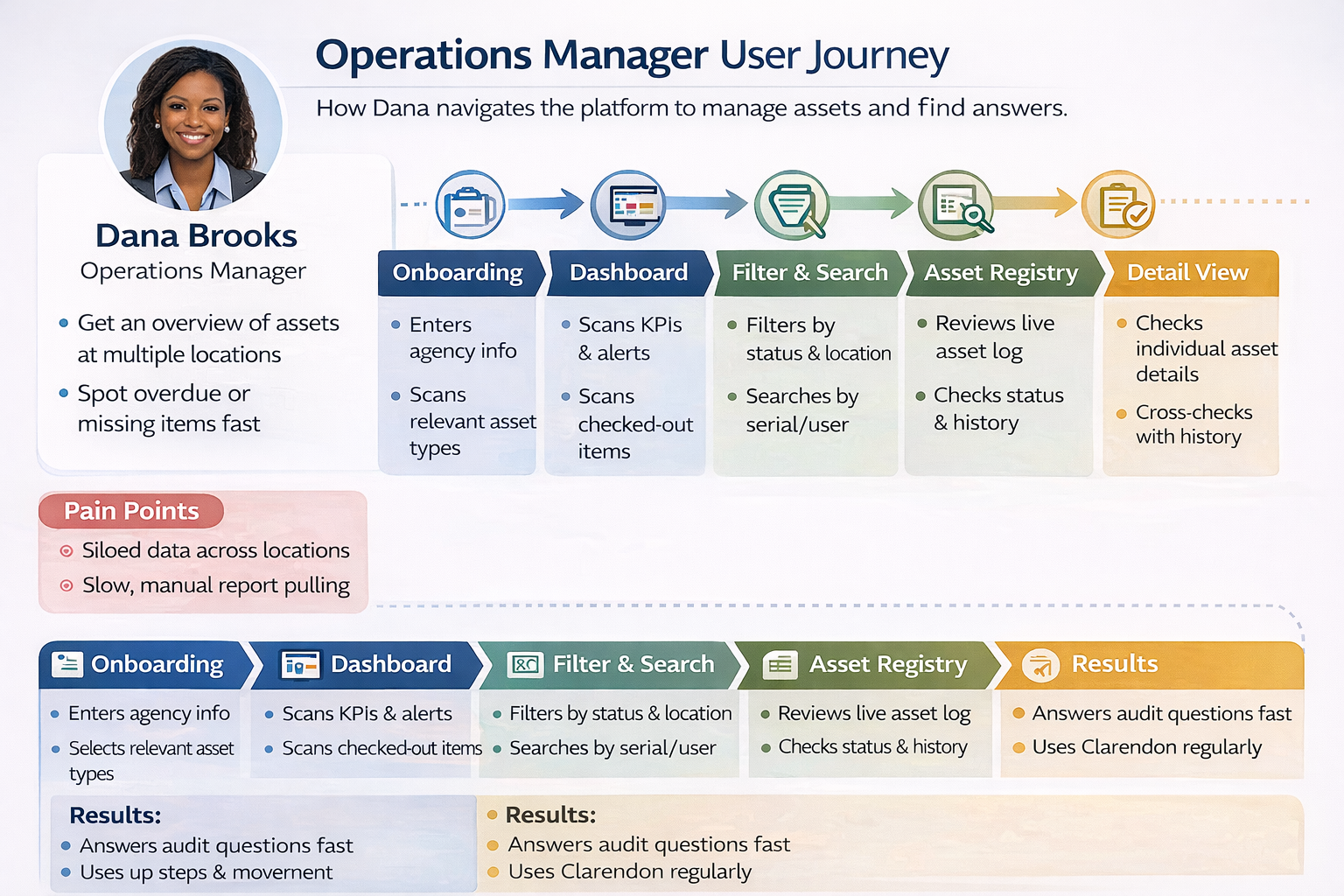
The core workflow across all five personas — from first login through search, asset detail, AI query, and audit-ready activity log. The design supports fast scanning without sacrificing traceability.
Loads from horizonsplash.com
Role-Based Entry Points
Not every user starts at Step 1. Thomas sets up permissions and leaves. Priya jumps straight to the Activity Log. The flow is linear by default but non-linear by design.
AI Query Is Step 6, Not Step 1
The AI query sits after users have already found and opened an asset — so natural language questions have context, not just keywords. It's a refinement tool, not a search replacement.
Activity Log Closes the Loop
For auditors and managers, Step 7 is the most important screen. The flow ends with traceability — who did what, when, and why — which is the trust signal the compliance persona needs most.
Clarendon Platform
Live Product Prototype
Live desktop prototype showing the core platform experience: dashboard scanning, filtering, asset registry, record detail, AI query, and activity log. The prototype demonstrates how product structure supports speed, trust, and accountability.
Dashboard Scanning
Notice how KPIs and alerts are surfaced before any action is required. Dana and Marcus should be able to identify a problem within seconds of logging in — no drilling required.
AI Query Transparency
When running a natural language query, observe how the response links back to source records. This is the trust mechanism designed to address Marcus's skepticism and Priya's compliance needs.
Audit Trail Completeness
The Activity Log at the end of the flow should feel conclusive — a complete record of every action taken during the session, exportable and timestamped for compliance purposes.